Mobile App
Your Hosting Control Center
View your hosting activity, track guest conversations, and manage Quick Inserts and Knowledge from one place.
Explore the Mobile App
Founding pricing50% off every plan during our launch.Subscribe during the launch window and keep your founding price for as long as you keep the subscription.
Claim 50% OffNow open to all hosts
Host AI helps vehicle and property hosts sync guest conversations, draft replies, organize knowledge, and use a Chrome extension to safely insert replies for review before sending.
The 14-day trial is for eligible new subscribers.
How it works
Draft host-ready replies from guest conversations using your saved rules, assets, locations, and tone.
Import recent guest-related emails into Threads so hosts can review, classify, and act from one dashboard.
Generate, copy, and safely insert drafts from supported host platform pages without moving business logic into the extension.
Store reusable instructions for fuel, charging, pickup, parking, property access, fees, and guest rules.
Host AI separates generated, copied, inserted, and sent states so the host stays in control.
Suggested Knowledge helps turn edited or approved replies into reusable operating knowledge over time.
iPhone app
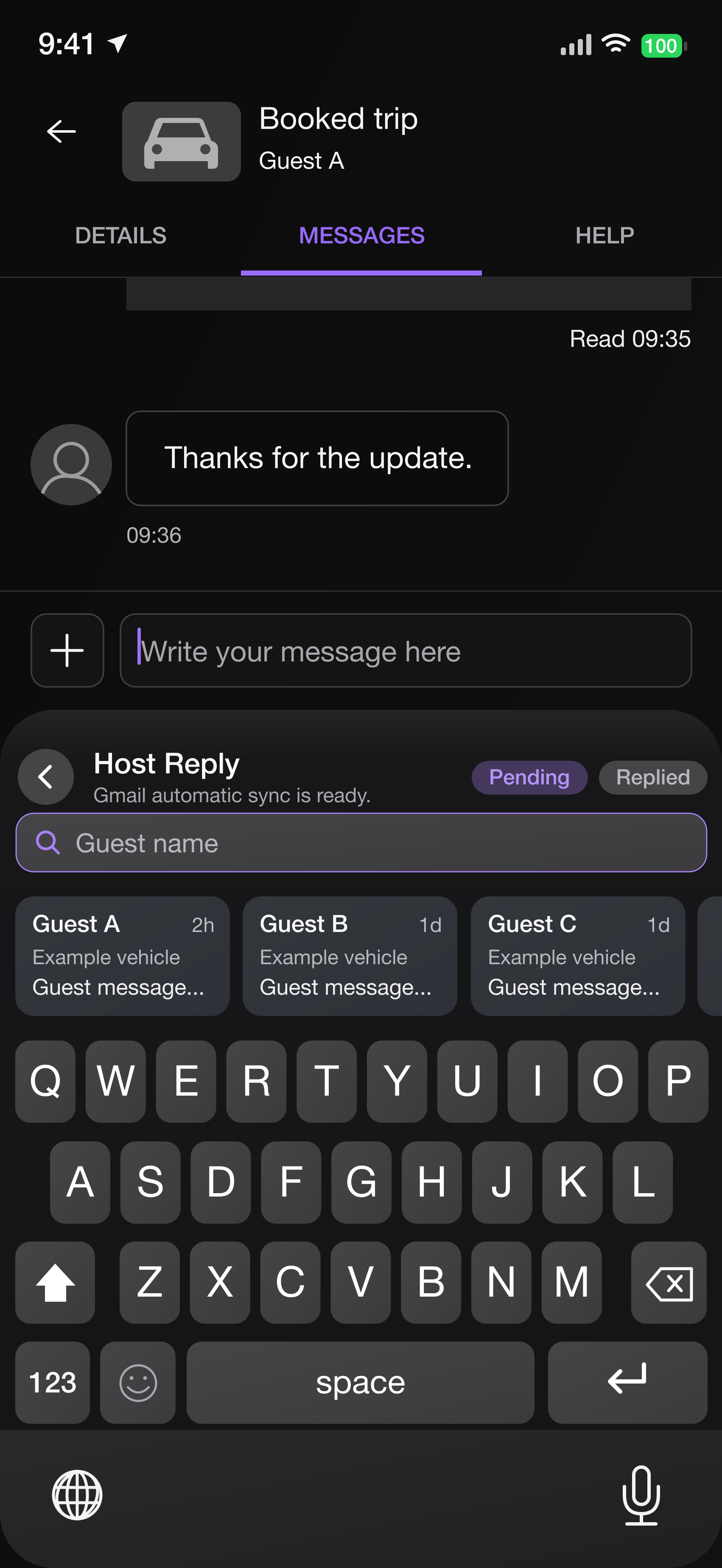
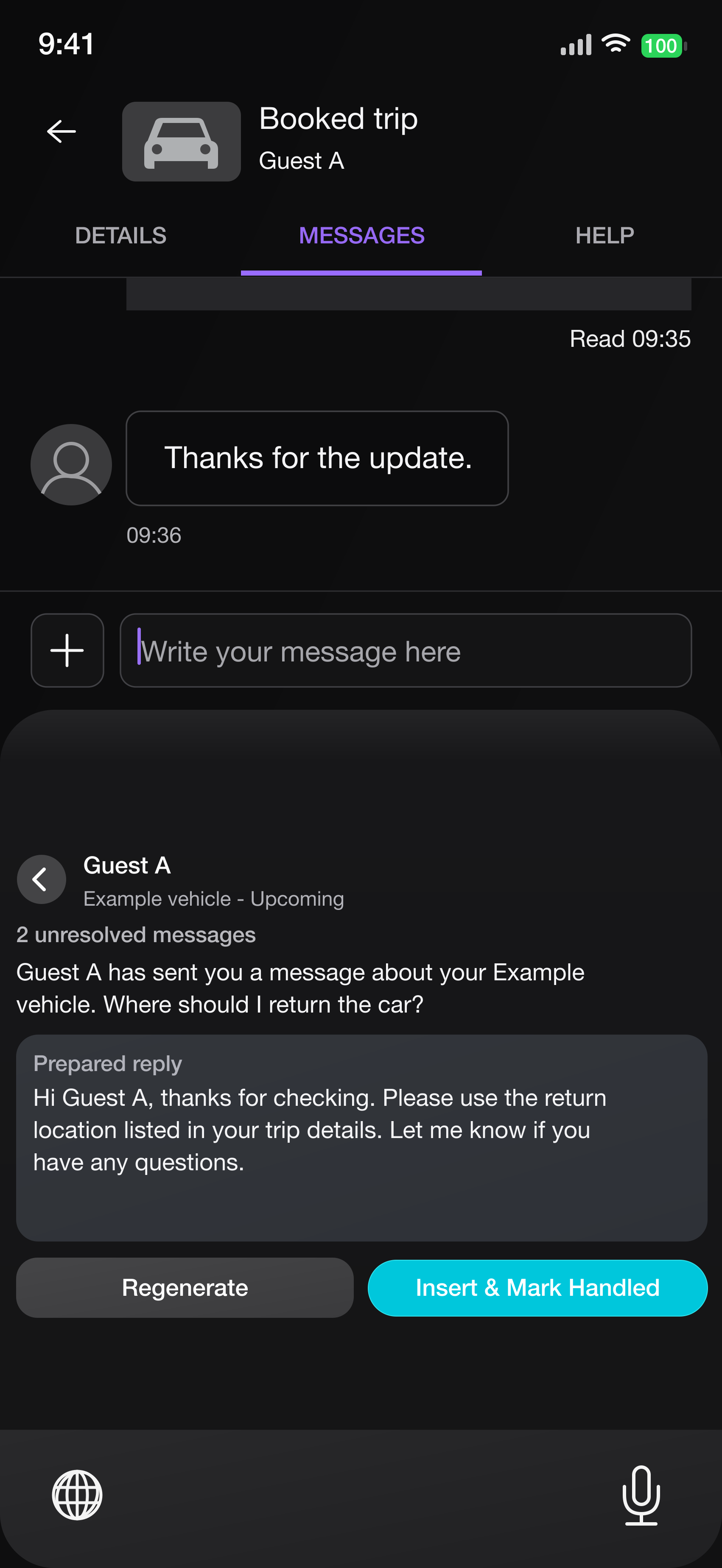
Host AI Assistant puts prepared replies and saved answers in your iPhone keyboard, ready to use while you message guests. Same account, same knowledge, same plan as the web.


Scan with your iPhoneOpens the App Store
Free to download. Included with every Host AI plan. Requires a Host AI account.
 View full-size image (opens in a new tab)
1. Find your guest
Search by guest name, then tap a prepared reply.
 View full-size image (opens in a new tab)
2. Review and insert
Review the reply, tap Insert & Mark Handled, then edit before sending.
Recreated from product screenshots with sample guest details for privacy.
Discover how Host AI helps you stay organized, respond faster, and manage your hosting workflow.
Videos load from YouTube only when you press Play.
Mobile App
View your hosting activity, track guest conversations, and manage Quick Inserts and Knowledge from one place.
Explore the Mobile AppiOS Keyboard
Review prepared AI replies and insert reusable messages into your guest conversations directly from your iPhone keyboard.
Explore Host AI AssistantChrome Extension
Access AI-powered reply assistance while managing your guest conversations in Chrome.
Smarter hosting. Happier guests.
Create your account to get started. The 14-day trial is for eligible new subscribers.